Internet Gateway (IGW)
Create IGW
To create an internet gateway, follow these steps:
- Open the Amazon VPC console.
- In the navigation pane, click Internet Gateways.
- Click
Create internet gateway - Provide a name to the gateway
my-igw - Once created this needs to be attached to VPC. Click on the
my-igwand it will show you the details. - On right top corner Actions -> Attach to VPC
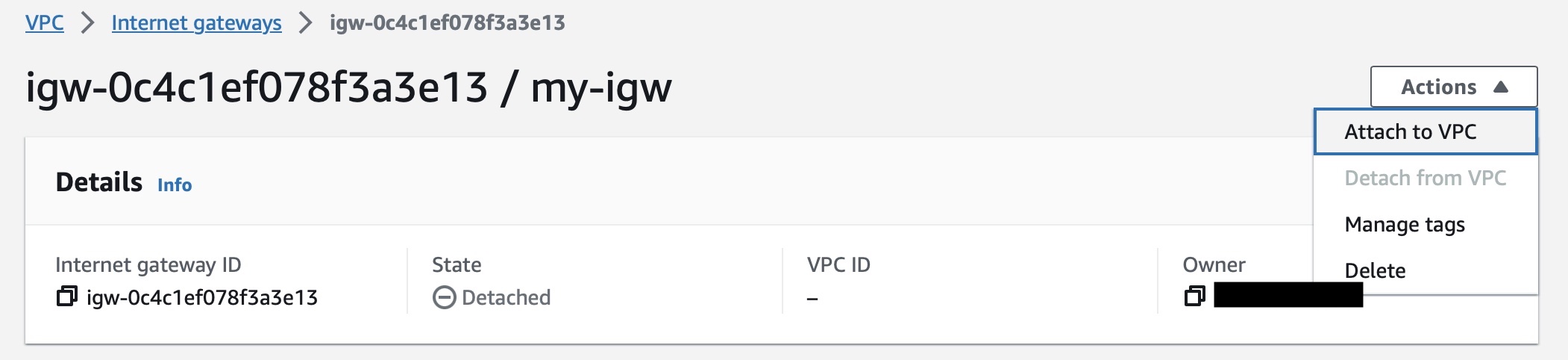
- Select the VPC
myvpcand clickAttach internet gateway
Note
Generally, you only need one internet gateway for each VPC. An internet gateway is a highly available and scalable component that allows you to route traffic between your VPC and the internet.